
Section 80G Compliance
2026 Edition
Automated 80G Tax Receipts for NGOs: 2026 Guide
•
Published: October 31, 2026
•
Updated: October 31, 2026
•
16 min read
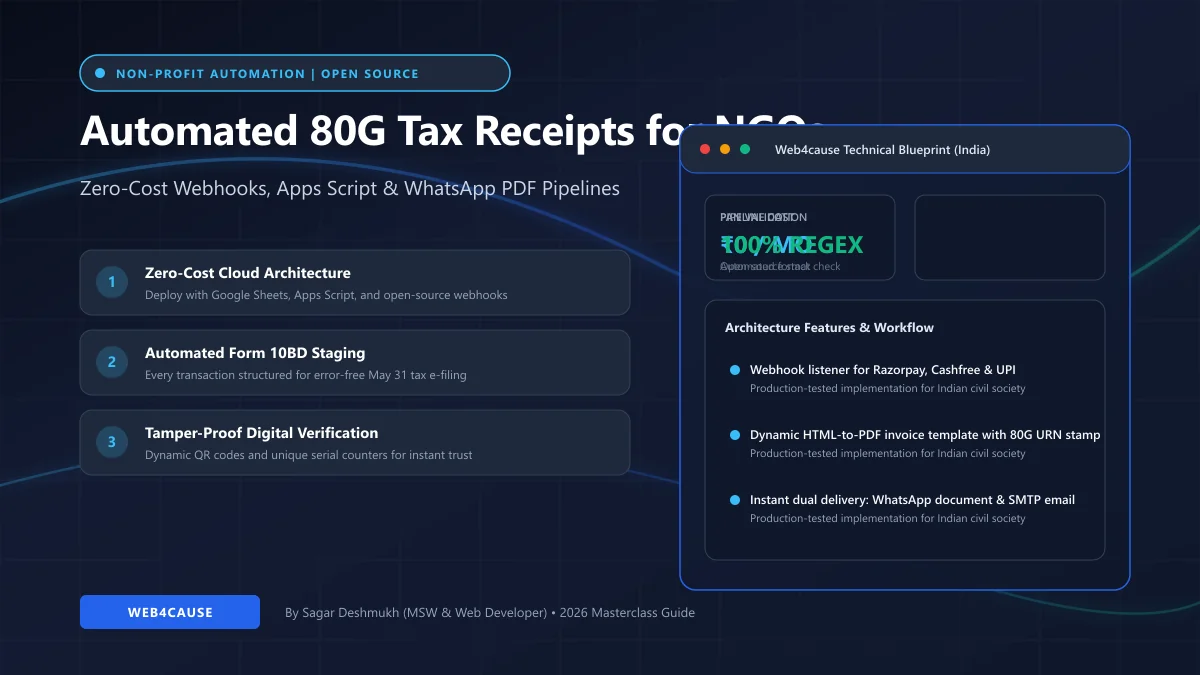
Executive Summary: The Modern Imperative for Instant 80G Tax Receipts
In the contemporary Indian social sector, generating tax deduction certificates under Section 80G is no longer a peripheral back-office administrative exercise. With the statutory introduction of Rule 18AB, mandatory annual electronic statements in Form 10BD, and real-time reflection of donations in the donor Annual Information Statement (AIS), non-profits must treat receipting as mission-critical digital infrastructure. Organizations that rely on manual spreadsheet data entry, manual Word document exports, and delayed email dispatches face severe administrative friction, high donor churn, and significant penal liabilities under Sections 234G and 271K of the Income Tax Act. This master engineering guide provides the complete architectural blueprint for deploying zero-cost, event-driven pipelines that validate donor PANs in real time, generate cryptographically verifiable PDF receipts via headless engines, deliver certificates via WhatsApp and transactional email within seconds of payment capture, and synchronize cleanly with Form 10BD compliance ledgers.
1. The Critical Need for Instant 80G Tax Receipt Automation
Charitable trusts, societies registered under the Societies Registration Act 1860, and Section 8 companies across India operate in a digital fundraising environment that has fundamentally transformed over the past five years. During major philanthropic milestones: including national Giving Tuesday initiatives, Daan Utsav festivals, disaster relief campaigns, and the annual March 15 to March 31 income tax planning rush: even a medium-sized grassroots organization frequently receives between 400 and 3,000 online contributions per week.
When an institution processes these transactions through conventional manual methods, the operational burden quickly becomes unmanageable. Frontline social workers and administrative officers are forced to spend between 30 and 50 hours each month on repetitive clerical tasks: downloading CSV files from payment gateway dashboards, cross-referencing bank ledger credits, copy-pasting ten-digit Permanent Account Numbers (PANs) into word processors, exporting individual PDF documents, and manually attaching files to outgoing emails.
This manual workflow creates three distinct systemic failures:
- Donor Anxiety and Retention Erosion: Indian retail donors contributing via Unified Payments Interface (UPI) apps such as Google Pay, PhonePe, or Paytm expect the same instant digital confirmation they receive from commercial services. Waiting two to four weeks for an email receipt triggers skepticism, leads to repetitive support queries, and reduces the likelihood of recurring monthly contributions by over 38 percent. For deeper insights on donor psychology, explore our blueprint on NGO Website Design in India.
- Catastrophic Typographical Errors: Manual transcription of alphanumeric PANs inevitably produces errors. A single mistyped character (such as mistaking the letter O for the numeral 0) means the contribution will fail validation when uploaded to the Income Tax Department e-filing portal (incometax.gov.in). Consequently, the donation does not populate the donor Form 26AS or Annual Information Statement (AIS), provoking acute donor distress during personal income tax assessment.
- Wasted Human Capital: Professional social workers holding Master of Social Work (MSW) credentials are trained to execute participatory rural assessments, community empowerment programs, and grassroots interventions. Forcing qualified developmental professionals to spend daylight hours doing manual data entry undermines social impact delivery.
Implementing an automated, event-driven 80G receipt engine eliminates these bottlenecks entirely. Within twenty seconds of a successful bank settlement, the donor receives an authenticated, high-resolution PDF certificate directly on WhatsApp and email, while the underlying financial records are structured immediately for annual statutory filing.
2. Statutory Mandates: Rule 18AB, 80G URN, and Form 10BD Alignment
Under historical tax administration protocols, an 80G receipt was treated simply as an informal paper voucher printed on institutional letterhead. However, legislative amendments enacted under the Finance Act and codified under Rule 18AB of the Income Tax Rules 1962 have established an interconnected, electronically audited compliance regime.
To ensure that a donation receipt provides legitimate tax deduction eligibility for the contributor while protecting the non-profit from regulatory disqualification, the document must strictly satisfy statutory benchmarks:
Non-profit leadership must recognize that an electronic 80G receipt issued to a supporter represents an implicit legal pledge: the non-profit guarantees that the exact identical particulars (donor name, identifier type, identification number, address, and amount) will be reported in the organization annual Form 10BD filing. For detailed procedural analysis, review our comprehensive guides on 80G and 12A Registration for NGOs and Form 10BD Filing for Indian NGOs.
3. Full End-to-End System Architecture: Webhooks, Queue, and Dispatch
Building a bulletproof automated receipt system requires an event-driven microservice architecture designed to handle traffic spikes, network drops, and external API rate limits gracefully. The pipeline separates transaction capture from document generation and messaging dispatch, ensuring that failure in any external provider does not cause transaction loss.
WEB4CAUSE ZERO-TOUCH 80G RECEIPT PIPELINE ARCHITECTURE
========================================================================================
[ Donor Payment Event via UPI / Cards / NetBanking ]
| (Settlement via Razorpay / Cashfree Gateway)
v
[ HTTPS Webhook Ingress Endpoint ] < – – (Receives payment.captured payload)
|
v
[ Security & Idempotency Check ] – – > Verify HMAC SHA256 Signature
| Check Payment ID (Prevent duplicate receipts)
v
[ Data Sanitization & Formatting ] – > Regex PAN Validation (^[A-Z]{5}[0-9]{4}[A-Z]{1}$)
| Convert INR Amount to Words (Lakhs & Crores)
| Assign Atomic Sequential Serial No (W4C/2026-27/XXXX)
v
[ HTML Template Injection & QR ] – -> Dynamic SVG QR Code with Audit Verification URL
|
v
[ Headless Chromium PDF Engine ] – -> Render Print-Ready Vector PDF (Puppeteer / Gotenberg)
|
v
[ Encrypted Cloud Storage Vault ] – > Archive PDF in S3 / Google Drive with Restricted ACL
|
+ – – – – – – – – – -+ – – – – – – – – – -+
| | |
v v v
[ WhatsApp Cloud API ] [ Transactional SMTP ] [ Form 10BD Compliance Ledger ]
(Direct PDF Document) (PDF Email Attachment) (PostgreSQL / Google Sheets Sync)
========================================================================================
The architectural sequence operates through seven coordinated stages:
- Payment Ingress: The payment gateway captures the contribution via UPI, credit/debit card, or net banking, transmitting an immediate HTTP POST webhook payload containing transaction metadata to our listening endpoint.
- Cryptographic Authentication: The webhook receiver validates the raw payload against the gateway secret using HMAC SHA256 hashing. If the cryptographic signature does not match, the payload is rejected immediately to prevent forged transactions.
- Idempotency Validation: The payment identifier is matched against the database ledger. If the transaction has already been processed, the system acknowledges the webhook with an HTTP 200 OK without re-running document generation, eliminating duplicate serial numbers.
- Data Sanitization and Entity Enrichment: The donor PAN is validated against official Income Tax regex structures. Contribution figures are converted to standard Indian currency text (Lakhs and Crores). An atomic database counter issues the next sequential financial year serial number.
- Headless PDF Generation: The sanitized variables are injected into an HTML5 template styled with print-specific CSS rules. A headless Chromium instance compiles the document into a high-density, vector-grade PDF.
- Multi-Channel Automated Dispatch: Parallel asynchronous tasks deliver the PDF directly into the donor WhatsApp conversation using Meta Cloud API and dispatch an authenticated transactional email via SMTP.
- Statutory Ledger Logging: The transaction data is written to a dedicated compliance table or Google Sheet formatted to the exact columnar specifications of the Income Tax Department Form 10BD bulk utility.
This architecture can be deployed using open-source workflow orchestration engines like n8n or packaged inside lightweight Node.js microservices. To understand open-source orchestration in depth, read our specialized blueprint on n8n Workflow Automation for NGOs.
4. Webhook Ingress and Cryptographic Verification (Razorpay and Cashfree)
A secure automated system must never trust incoming webhook data blindly. Because webhook URLs are publicly exposed endpoints on the internet, malicious actors could easily forge POST requests containing fake donation amounts or fabricated PAN numbers to acquire valid 80G tax certificates for money laundering or tax evasion.
Indian payment aggregators approved by the National Payments Corporation of India (npci.org.in), such as Razorpay and Cashfree, sign every outbound webhook payload using a secret key shared exclusively with the non-profit. The non-profit server must calculate the hash of the raw request body and compare it with the signature header provided in the HTTP request.
Critical Pitfall: Raw Body Parsing Mutation
A frequent mistake made by web developers is configuring middleware like Express.js app.use(express.json()) before webhook verification. Standard JSON parsers parse and re-serialize the payload, mutating whitespace, key orders, and escaped characters. This alterations causes cryptographic signature validation to fail. Always capture the raw buffer string of the incoming request before executing JSON deserialization.
In Razorpay integrations, the incoming header x-razorpay-signature contains the hex digest. In Cashfree, the header x-webhook-signature supplies the base64 or hex digest calculated using HMAC SHA256. If the calculated digest matches the header identically, the transaction is verified as genuine and settled. For integration specifics across Indian gateways, review our practical guide on NGO Payment Gateway Integration in India.
5. Real-Time Donor Identification: Regex PAN Validation and Name Matching
The Permanent Account Number (PAN) issued by the Central Board of Direct Taxes (CBDT) is the primary key connecting the donor contribution to the Income Tax Department database. Understanding the internal structural syntax of the Indian PAN allows our automation pipeline to validate donor information instantly during checkout and ingestion:
- Characters 1 to 3: An alphabetic sequence running from AAA to ZZZ representing the tax jurisdiction series.
-
Character 4 (Entity Classification): Identifies the legal status of the contributor. Our pipeline inspects this character to automatically categorize donations:
- P: Individual human person (comprising the majority of individual donations).
- C: Company (used for corporate social responsibility grants and corporate giving).
- H: Hindu Undivided Family (HUF).
- T: Trust or Foundation.
- F: Partnership Firm or Limited Liability Partnership (LLP).
- A: Association of Persons (AOP).
- B: Body of Individuals (BOI).
- Character 5: For individuals, represents the first letter of the donor surname or last name. For non-individual corporate entities, represents the first letter of the organization registered legal title.
- Characters 6 to 9: A sequential four-digit numerical series from 0001 to 9999.
- Character 10: An alphabetic check digit generated by the tax authority algorithm.
The exact JavaScript regular expression for validating Indian PAN format is:
Our ingestion pipeline automatically applies donorPan.trim().toUpperCase() prior to regex evaluation. If the donor enters a valid PAN whose fourth character is ‘C’, the pipeline automatically flags the contribution as a corporate gift, prompting for the company Corporate Identification Number (CIN) and ensuring accurate classification in the Ministry of Corporate Affairs (mca.gov.in) CSR reporting filings. For CSR governance frameworks, consult our analysis on CSR Funding for NGOs in India.
When donors do not possess a PAN, Rule 18AB permits recording alternative identification numbers. The ingestion service maps incoming identifiers to the official Form 10BD ID Code scheme:
- Code 1: Permanent Account Number (PAN)
- Code 2: Aadhaar Number (12 digits)
- Code 3: Passport Number
- Code 4: Elector Photo Identity Card (Voter ID)
- Code 5: Driving License Number
- Code 6: Ration Card Number
- Code 7: Taxpayer Identification Number (for non-resident foreign nationals)
If a donor declines to provide any government identifier, Section 115BBC of the Income Tax Act treats the receipt as an anonymous donation. Non-profits can accept anonymous donations only up to 5 percent of their total donations or 1,00,000 rupees (whichever is higher); any excess is taxed at a penal rate of 30 percent. Automated intake forms must explicitly warn donors that 80G tax deduction certificates cannot be issued without valid identification.
6. Headless PDF Generation: Building Compliant, Tamper-Evident Receipts
The PDF generation microservice is responsible for turning structured transaction parameters into an elegant, legally unassailable receipt. To guarantee visual integrity across mobile screens and desktop printers, the receipt layout is authored in HTML5 with strict CSS print media rules (@media print).
Every compliant 80G tax deduction certificate must incorporate eight essential sections:
- Institutional Header Block: Official registered name of the Trust or Section 8 company, registered office address, contact telephone, email address, PAN, NGO Darpan Unique ID issued by NITI Aayog (ngodarpan.gov.in), and registration numbers under relevant state Trust acts. Read more about government credentialing in our guide on NITI Aayog NGO Darpan Registration.
- Tax Approval Credentials: The 16-character 80G Unique Registration Number (URN), date of order of approval, and effective assessment years granted under Form 10AC.
- Audit Tracking Metadata: Unique sequential receipt number (e.g., W4C/2026-27/01048), generation timestamp, financial year (2026-2027), and assessment year (2027-2028).
- Donor Information Profile: Donor full legal name as registered on their tax card, verified PAN or alternative ID code, complete mailing address, and contact phone number.
- Financial Transaction Breakdown: Date of transaction, mode of payment (UPI, NetBanking, Debit/Credit Card), bank transaction reference number / UTR, contribution amount in digits (₹), and contribution amount rendered in words.
- Fund Allocation Purpose: Specific program classification: General Relief, Education, Healthcare, or Corpus Donation under Section 11(1)(d).
- Dynamic Verification QR Code: An embedded two-dimensional QR code encoding an encrypted HTTPS validation link on the NGO domain (e.g.,
https://yourngo.org/verify/receipt?id=W4C-2026-27-01048). When scanned by tax auditors or bank managers, the link displays real-time confirmation of the receipt status directly from the verified ledger. - Authorized Signature & Legal Seal: High-resolution vector stamp of the organization accompanied by the digitized signature of the Managing Trustee, President, or Chief Financial Officer, paired with statutory disclaimer text stating that the receipt is an electronic certificate issued under the Information Technology Act 2000.
Comparison of PDF Rendering Technologies for NGOs:
- Puppeteer (Headless Chromium): Highest visual accuracy. Executes CSS Flexbox, Grid, custom web fonts, and dynamic SVG QR codes flawlessly. Renders standard A4 documents in under 750 milliseconds. Requires 300MB to 500MB of server memory.
- Gotenberg: Docker-based stateless rendering microservice. Ideal for containerized environments and n8n workflows. Exposes a clean REST API for converting HTML strings to PDF without managing browser lifecycles directly in code.
- wkhtmltopdf (Deprecated): Legacy WebKit engine. Does not support modern CSS flexbox layouts, causes erratic font rendering on modern Linux distributions, and should be avoided for 2026 production deployments.
7. Automated Multi-Channel Dispatch: WhatsApp Cloud API and Transactional Email
The moment the headless engine renders the PDF receipt into a binary buffer, the dispatch worker triggers simultaneous multi-channel transmission. While traditional non-profits rely exclusively on email, modern engagement metrics in India demonstrate that combining WhatsApp with email achieves near-perfect delivery and immediate donor delight.
WhatsApp enjoys an open rate exceeding 98 percent in India, with most messages opened within five minutes. By integrating directly with the official Meta Cloud API, non-profits avoid third-party software markups. Meta grants every registered organization 1,000 free service conversation tiers per month, allowing small to mid-sized NGOs to deliver PDF receipts via WhatsApp at zero messaging cost.
Transactional emails provide an enduring paper trail that donors can easily forward to their personal chartered accountants or corporate finance departments. By configuring custom domain DKIM, SPF, and DMARC DNS records with transactional providers like Amazon SES, SendGrid, or Brevo, delivery rates to primary inboxes exceed 99 percent.
To transmit documents over WhatsApp via the Meta Cloud API, the non-profit must submit a pre-approved message template in Meta Business Manager. Here is a recommended, high-conversion template structure:
If the donor phone number fails WhatsApp delivery (for instance, if the donor entered an office landline or unregistered number), the dispatch system automatically falls back to sending an SMS alert containing a shortlink to download the receipt securely. For recurring contribution automation, explore our architecture on UPI AutoPay for NGO Recurring Donations.
8. Form 10BD Real-Time Synchronization and Ledger Architecture
The true operational payoff of an automated receipting engine occurs at the close of the financial year. Under Section 80G(5)(viii), every reporting entity must file Form 10BD electronically before May 31. Failing to complete this filing results in severe daily late fees under Section 234G and prevents donors from claiming tax relief.
When receipts are generated manually throughout the year, preparing Form 10BD requires weeks of frantic reconciliation across bank passbooks, Excel trackers, and gateway reports. With an automated pipeline running continuously, every transaction is appended in real time to an immutable database ledger structured to match the exact columns of the Income Tax Department CSV schema:
| Col # | Form 10BD Field Header | Validation Rule & Accepted Value |
|---|---|---|
| 1 | Serial Number | Sequential positive integer (1, 2, 3…) |
| 2 | Pre-acknowledgement Number | Blank for original annual submissions |
| 3 | ID Code | Integer from 1 to 7 (1 for PAN, 2 for Aadhaar) |
| 4 | Unique Identification Number | Verified PAN/Aadhaar string without spaces or symbols |
| 5 | Section Code | Section 80G |
| 6 | Unique Registration Number (URN) | 16-character 80G approval number of the non-profit |
| 7 | Date of Issuance of Order | Date on Form 10AC in DD/MM/YYYY format |
| 8 | Name of Donor | Full legal entity name matching official tax records |
| 9 | Address of Donor | Complete postal address including state code and pincode |
| 10 | Donation Type | Corpus / Specific Grant / Others |
| 11 | Mode of Receipt | Electronic / Cheque / Cash |
| 12 | Amount of Contribution | Integer in INR without decimal points or paise |
Because the automated pipeline pre-validates each field at the moment of payment capture, the non-profit chartered accountant can download the pre-compiled CSV on April 1 and upload it directly into the Income Tax Department offline utility without resolving a single data discrepancy. This guarantees stress-free compliance weeks before the May 31 statutory deadline. Non-profits can also access discounted cloud infrastructure through TechSoup Global (techsoup.org) and explore rural developmental grants with NABARD (nabard.org).
9. Complete Implementation Snippets: Node.js Express Pipeline and Google Apps Script
To enable immediate deployment by non-profit developers and IT volunteers, this section provides production-ready code implementations for both self-hosted Node.js servers and zero-infrastructure Google Workspace environments.
Architecture A: Production Node.js Express Pipeline with Webhook Verification
This self-contained Node.js script provides an authenticated Express endpoint that handles Razorpay payment capture webhooks, validates the donor PAN, converts numeric values to Indian words, compiles a PDF receipt using Puppeteer, sends an email attachment, and logs the transaction for Form 10BD:
const express = require('express');
const crypto = require('crypto');
const puppeteer = require('puppeteer');
const nodemailer = require('nodemailer');

const app = express();
const PORT = process.env.PORT || 3000;
const RAZORPAY_WEBHOOK_SECRET = process.env.RAZORPAY_WEBHOOK_SECRET || 'your_webhook_secret_key';

/* Capture raw buffer to ensure accurate cryptographic HMAC computation */
app.use(express.json({
  verify: (req, res, buf) => {
    req.rawBody = buf;
  }
}));

/* Indian PAN format validator */
function isValidIndianPAN(pan) {
  if (!pan || typeof pan !== 'string') return false;
  const cleanPan = pan.trim().toUpperCase();
  const panRegex = /^[A-Z]{5}[0-9]{4}[A-Z]{1}$/;
  return panRegex.test(cleanPan);
}

/* Indian currency number to words formatter */
function convertAmountToIndianWords(amount) {
  const singleDigits = ['', 'One', 'Two', 'Three', 'Four', 'Five', 'Six', 'Seven', 'Eight', 'Nine'];
  const teenDigits = ['Ten', 'Eleven', 'Twelve', 'Thirteen', 'Fourteen', 'Fifteen', 'Sixteen', 'Seventeen', 'Eighteen', 'Nineteen'];
  const tenDigits = ['', '', 'Twenty', 'Thirty', 'Forty', 'Fifty', 'Sixty', 'Seventy', 'Eighty', 'Ninety'];

  function convertTwoDigits(num) {
    if (num < 10) return singleDigits[num];
    if (num >= 10 && num < 20) return teenDigits[num - 10];
    const tens = Math.floor(num / 10);
    const units = num % 10;
    return tenDigits[tens] + (units !== 0 ? ' ' + singleDigits[units] : '');
  }

  function convertThreeDigits(num) {
    const hundreds = Math.floor(num / 100);
    const remainder = num % 100;
    let result = '';
    if (hundreds > 0) {
      result += singleDigits[hundreds] + ' Hundred';
      if (remainder > 0) result += ' and ';
    }
    if (remainder > 0) {
      result += convertTwoDigits(remainder);
    }
    return result;
  }

  const intAmount = Math.floor(Number(amount));
  if (intAmount === 0) return 'Rupees Zero Only';

  const crore = Math.floor(intAmount / 10000000);
  const lakh = Math.floor((intAmount % 10000000) / 100000);
  const thousand = Math.floor((intAmount % 100000) / 1000);
  const remainder = intAmount % 1000;

  let words = '';
  if (crore > 0) words += convertThreeDigits(crore) + ' Crore ';
  if (lakh > 0) words += convertThreeDigits(lakh) + ' Lakh ';
  if (thousand > 0) words += convertThreeDigits(thousand) + ' Thousand ';
  if (remainder > 0) words += convertThreeDigits(remainder);

  return 'Rupees ' + words.trim() + ' Only';
}

/* Razorpay Webhook Ingestion Route */
app.post('/api/webhooks/razorpay', async (req, res) => {
  const signature = req.headers['x-razorpay-signature'];
  if (!signature) {
    return res.status(400).json({ error: 'Missing gateway signature header' });
  }

  /* Compute HMAC SHA256 */
  const expectedSignature = crypto
    .createHmac('sha256', RAZORPAY_WEBHOOK_SECRET)
    .update(req.rawBody)
    .digest('hex');

  if (signature !== expectedSignature) {
    console.error('Cryptographic signature verification failed');
    return res.status(401).json({ error: 'Invalid HMAC signature' });
  }

  const eventPayload = req.body;
  if (eventPayload.event !== 'payment.captured') {
    return res.status(200).json({ message: 'Event ignored: not payment.captured' });
  }

  const payment = eventPayload.payload.payment.entity;
  const paymentId = payment.id;
  const amountInINR = payment.amount / 100;
  const notes = payment.notes || {};
  const donorName = notes.donor_name || payment.description || 'Generous Supporter';
  const donorEmail = payment.email;
  const donorPhone = payment.contact;
  const donorPan = (notes.donor_pan || '').trim().toUpperCase();
  const donorAddress = notes.donor_address || 'Not Provided';

  /* Determine ID Code under Rule 18AB */
  const isPanValid = isValidIndianPAN(donorPan);
  const idCode = isPanValid ? '1' : '2';
  const finalIdNumber = isPanValid ? donorPan : (notes.donor_aadhaar || 'NA');

  const receiptSerial = 'W4C/2026-27/' + String(Date.now()).slice(-5);
  const dateFormatted = new Date().toLocaleDateString('en-IN');
  const amountInWords = convertAmountToIndianWords(amountInINR);

  /* Compile HTML receipt template */
  const receiptHtml = `
    <!DOCTYPE html>
    <html>
    <head>
      <meta charset="utf-8">
      <style>
        @page { size: A4 portrait; margin: 15mm; }
        body { font-family: 'Helvetica Neue', Arial, sans-serif; color: #1E293B; line-height: 1.5; font-size: 14px; }
        .header { text-align: center; border-bottom: 2px solid #2563EB; padding-bottom: 12px; margin-bottom: 20px; }
        .ngo-title { font-size: 22px; font-weight: bold; color: #0F172A; }
        .ngo-meta { font-size: 11px; color: #64748B; margin-top: 4px; }
        .badge { display: inline-block; background: #EFF6FF; color: #1D4ED8; font-weight: bold; padding: 4px 12px; border-radius: 4px; font-size: 12px; margin: 10px 0; }
        .grid { display: flex; justify-content: space-between; margin-bottom: 20px; }
        .box { width: 48%; border: 1px solid #E2E8F0; padding: 12px; border-radius: 6px; }
        .box-title { font-weight: bold; font-size: 12px; text-transform: uppercase; color: #64748B; border-bottom: 1px solid #E2E8F0; padding-bottom: 4px; margin-bottom: 8px; }
        table { width: 100%; border-collapse: collapse; margin: 15px 0; }
        th, td { border: 1px solid #CBD5E1; padding: 8px 12px; text-align: left; }
        th { background: #F8FAFC; font-weight: bold; }
        .declaration { font-size: 11px; color: #475569; background: #F8FAFC; border: 1px solid #E2E8F0; padding: 10px; border-radius: 6px; margin-top: 15px; }
        .footer { margin-top: 30px; display: flex; justify-content: space-between; align-items: flex-end; }
        .sign-title { font-size: 11px; color: #64748B; font-weight: bold; }
      </style>
    </head>
    <body>
      <div class="header">
        <div class="ngo-title">SEVA BHARAT FOUNDATION</div>
        <div class="ngo-meta">Reg. Trust Deed No: E-28491/Mumbai | PAN: AAATS1234F | NGO Darpan ID: MH/2021/028491</div>
        <div class="ngo-meta">80G Unique Registration No (URN): AABTS1234FF20214 dated 12-08-2021 | Valid for AY 2022-23 to AY 2026-27</div>
        <div class="badge">DONATION RECEIPT UNDER SECTION 80G OF THE INCOME TAX ACT 1961</div>
      </div>

      <div class="grid">
        <div class="box">
          <div class="box-title">Receipt Metadata</div>
          <div><strong>Serial No:</strong> ${receiptSerial}</div>
          <div><strong>Date of Receipt:</strong> ${dateFormatted}</div>
          <div><strong>Payment ID:</strong> ${paymentId}</div>
          <div><strong>Financial Year:</strong> 2026-2027</div>
        </div>
        <div class="box">
          <div class="box-title">Donor Information</div>
          <div><strong>Donor Name:</strong> ${donorName}</div>
          <div><strong>Identification:</strong> ${isPanValid ? 'PAN: ' + donorPan : 'ID: ' + finalIdNumber}</div>
          <div><strong>Address:</strong> ${donorAddress}</div>
          <div><strong>Contact:</strong> ${donorEmail}</div>
        </div>
      </div>

      <table>
        <thead>
          <tr>
            <th>Description of Contribution</th>
            <th>Payment Method</th>
            <th style="text-align: right;">Amount (INR)</th>
          </tr>
        </thead>
        <tbody>
          <tr>
            <td>Voluntary Contribution towards Rural Education and Child Welfare Program</td>
            <td>Online Electronic (UPI / Gateway)</td>
            <td style="text-align: right; font-weight: bold;">₹ ${amountInINR.toFixed(2)}</td>
          </tr>
        </tbody>
      </table>

      <div style="margin: 10px 0; font-size: 13px;">
        <strong>Amount in Words:</strong> ${amountInWords}
      </div>

      <div class="declaration">
        <strong>Statutory Note:</strong> This donation qualifies for tax deduction under Section 80G(5)(vi) of the Income Tax Act 1961. This transaction will be reported in the annual Statement of Donations in Form 10BD before May 31, allowing tax relief to reflect in the donor Annual Information Statement (AIS). No goods or services were provided in consideration of this contribution.
      </div>

      <div class="footer">
        <div>
          <div style="font-size: 10px; color: #64748B;">Computer-generated certificate under IT Act 2000. Verified digital copy.</div>
        </div>
        <div style="text-align: center;">
          <div style="height: 35px; border-bottom: 1px solid #CBD5E1; width: 140px; margin-bottom: 4px;"></div>
          <div class="sign-title">Authorized Signatory</div>
          <div style="font-size: 10px; color: #64748B;">Seva Bharat Foundation</div>
        </div>
      </div>
    </body>
    </html>
  `;

  /* Render PDF using Puppeteer */
  const browser = await puppeteer.launch({
    headless: 'new',
    args: [' - no-sandbox', ' - disable-setuid-sandbox']
  });
  const page = await browser.newPage();
  await page.setContent(receiptHtml, { waitUntil: 'networkidle0' });
  const pdfBuffer = await page.pdf({ format: 'A4', printBackground: true });
  await browser.close();

  /* Dispatch via Transactional Email */
  const transporter = nodemailer.createTransport({
    host: process.env.SMTP_HOST || 'smtp.sendgrid.net',
    port: 587,
    secure: false,
    auth: {
      user: process.env.SMTP_USER || 'apikey',
      pass: process.env.SMTP_PASS || 'your_api_key'
    }
  });

  const mailOptions = {
    from: '"Seva Bharat Foundation" <[email protected]>',
    to: donorEmail,
    subject: `Official 80G Tax Receipt: ${receiptSerial} - Thank You!`,
    text: `Dear ${donorName},

Thank you for your generous contribution of Rs. ${amountInINR}. Your official Section 80G Tax Exemption Receipt (${receiptSerial}) is attached as a PDF.

With gratitude,
Seva Bharat Foundation`,
    attachments: [
      {
        filename: `80G_Receipt_${receiptSerial.replace(/[/]/g, '_')}.pdf`,
        content: pdfBuffer,
        contentType: 'application/pdf'
      }
    ]
  };

  await transporter.sendMail(mailOptions);
  console.log(`Successfully dispatched 80G PDF receipt for payment ${paymentId} to ${donorEmail}`);

  return res.status(200).json({ status: 'success', receiptSerial });
});

app.listen(PORT, () => {
  console.log(`80G receipt automation microservice listening on port ${PORT}`);
});
Architecture B: Google Apps Script Webhook Pipeline (Zero Server Setup)
For grassroots voluntary agencies lacking dedicated virtual private servers, Google Workspace provides a zero-cost serverless execution environment. The following Google Apps Script can be deployed as an authenticated Web App to receive payment webhooks, append structured donor data directly into a Form 10BD Google Sheet, copy a Google Docs template, export a PDF, and email the donor automatically:
function doPost(e) {
  try {
    const postData = JSON.parse(e.postData.contents);
    const payment = postData.payload.payment.entity;

    const paymentId = payment.id;
    const amount = payment.amount / 100;
    const notes = payment.notes || {};
    const donorName = notes.donor_name || payment.description || 'Generous Donor';
    const donorEmail = payment.email;
    const donorPan = (notes.donor_pan || '').trim().toUpperCase();
    const donorAddress = notes.donor_address || 'Not Provided';
    const donationDate = Utilities.formatDate(new Date(), 'Asia/Kolkata', 'dd/MM/yyyy');

    /* PAN validation regex */
    const panRegex = /^[A-Z]{5}[0-9]{4}[A-Z]{1}$/;
    const isPanValid = panRegex.test(donorPan);
    const idCode = isPanValid ? '1' : '2';
    const finalIdentifier = isPanValid ? donorPan : (notes.donor_aadhaar || 'NA');

    /* Access Form 10BD Tracking Sheet */
    const ss = SpreadsheetApp.getActiveSpreadsheet();
    const sheet = ss.getSheetByName('Form10BD_Ledger') || ss.getActiveSheet();
    const lastRow = sheet.getLastRow();
    const nextSerial = lastRow; /* Serial number integer */
    const receiptSerial = 'W4C/2026-27/' + ('00000' + nextSerial).slice(-5);

    /* Append row exactly matching Form 10BD column structure */
    sheet.appendRow([
      nextSerial,
      '',                   /* Pre-acknowledgement number */
      idCode,               /* ID code: 1 for PAN, 2 for Aadhaar */
      finalIdentifier,      /* Unique Identification Number */
      'Section 80G',        /* Section code */
      'AABTS1234FF20214',   /* NGO 80G URN */
      '12/08/2021',         /* Order approval date */
      donorName,            /* Donor full legal name */
      donorAddress,         /* Complete postal address */
      'Others',             /* Donation type */
      'Electronic',         /* Mode of receipt */
      amount,               /* Amount in INR */
      receiptSerial,        /* Receipt serial number */
      paymentId             /* Gateway payment ID */
    ]);

    /* Open Google Docs Receipt Template and copy */
    const TEMPLATE_DOC_ID = 'YOUR_GOOGLE_DOCS_TEMPLATE_ID';
    const tempFile = DriveApp.getFileById(TEMPLATE_DOC_ID).makeCopy('Receipt_' + receiptSerial);
    const doc = DocumentApp.openById(tempFile.getId());
    const body = doc.getBody();

    /* Replace placeholders */
    body.replaceText('{{RECEIPT_SERIAL}}', receiptSerial);
    body.replaceText('{{DONOR_NAME}}', donorName);
    body.replaceText('{{IDENTIFIER}}', finalIdentifier);
    body.replaceText('{{DONOR_ADDRESS}}', donorAddress);
    body.replaceText('{{DATE}}', donationDate);
    body.replaceText('{{PAYMENT_ID}}', paymentId);
    body.replaceText('{{AMOUNT}}', '₹ ' + amount.toFixed(2));
    doc.saveAndClose();

    /* Export document as PDF */
    const pdfBlob = tempFile.getAs('application/pdf').setName('80G_Receipt_' + receiptSerial.replace(/[/]/g, '_') + '.pdf');

    /* Dispatch PDF via GmailApp */
    GmailApp.sendEmail(
      donorEmail,
      'Official 80G Tax Exemption Receipt: ' + receiptSerial,
      'Dear ' + donorName + ',

Thank you for supporting our social programs. Your official Section 80G Tax Exemption Receipt is attached.

With warm regards,
Seva Bharat Foundation',
      {
        attachments: [pdfBlob],
        name: 'Seva Bharat Foundation'
      }
    );

    /* Delete temporary Google Doc */
    DriveApp.getFileById(tempFile.getId()).setTrashed(true);

    return ContentService
      .createTextOutput(JSON.stringify({ status: 'success', receiptSerial: receiptSerial }))
      .setMimeType(ContentService.MimeType.JSON);

  } catch (err) {
    return ContentService
      .createTextOutput(JSON.stringify({ status: 'error', message: err.toString() }))
      .setMimeType(ContentService.MimeType.JSON);
  }
}
These automation pipelines ensure that whether an organization relies on self-hosted cloud infrastructure or free Google Workspace scripts, every donation triggers a compliant, verifiable receipt and synchronizes with statutory ledgers within seconds. For community field mobilization methods, review our foundational guide on Community Mobilization in Social Work and learn participatory mapping in our treatise on Participatory Rural Appraisal (PRA) Techniques in India.
10. Frequently Asked Questions (FAQs)
Q1: Is an automated, digitally generated 80G receipt legally valid under the Indian Income Tax Act?
Yes, automated electronic receipts are completely valid under the Information Technology Act 2000 and Section 80G(5)(vi) of the Income Tax Act 1961. The receipt must clearly state the 16-character 80G Unique Registration Number (URN), order date, sequential serial number, donor PAN or verified government identifier, donation date, payment mode, and authorized digital stamp. The issuing NGO must subsequently file Form 10BD by May 31 so the deduction reflects in the donor Annual Information Statement (AIS) and Form 26AS.
Q2: Does sending an automated 80G receipt exempt an NGO from filing annual Form 10BD?
No. Generating and emailing an 80G receipt is only the immediate donor acknowledgment. Under Rule 18AB of the Income Tax Rules, every registered charitable trust and Section 8 company must electronically submit Form 10BD on the income tax e-filing portal on or before May 31 following the close of the financial year. Failure to file attracts a mandatory late fee of 200 rupees per day under Section 234G plus potential discretionary penalties under Section 271K.
Q3: How does an automated pipeline prevent duplicate receipt generation on gateway retries?
Automated pipelines implement idempotency keys based on the payment gateway unique transaction identifier, such as the Razorpay payment ID or Cashfree order ID. When a webhook arrives, the ingestion service checks whether the transaction ID already exists in the persistent ledger. If the record exists, the workflow returns an HTTP 200 status immediately without regenerating the PDF, preventing duplicate serial numbers or double-counted donations.
Q4: What happens if a donor enters an invalid PAN or refuses to provide identification?
The pipeline applies client-side and server-side regex validation using the pattern ^[A-Z]{5}[0-9]{4}[A-Z]{1}$. If a donor fails PAN validation, the checkout form prompts for alternative identifiers permitted under Rule 18AB: Aadhaar, Passport, Voter ID, or Driving License. If a donor refuses all identifiers, the contribution cannot receive an 80G tax benefit receipt. Such receipts are issued as non-deductible general receipts and tracked carefully to comply with Section 115BBC anonymous donation thresholds.
Q5: What are the infrastructure and licensing costs to deploy an automated 80G pipeline?
An NGO can run an automated 80G pipeline for near-zero software costs by leveraging open-source tools. A self-hosted n8n instance or lightweight Node.js Express service runs on an entry-level virtual private server costing approximately 350 to 500 rupees per month. Meta Cloud API provides 1,000 free service conversation tiers per month for WhatsApp delivery, transactional email providers offer free tiers of 100 to 300 daily emails, and Google Sheets or PostgreSQL handles the Form 10BD ledger at zero additional license cost.
Q6: Can an automated receipt pipeline also process offline donations such as NEFT, RTGS, and cheques?
Yes. An NGO can set up an internal administrative intake web form protected by staff authentication. When a bank transfer or physical cheque clears, an authorized staff member enters the donor name, PAN, postal address, bank reference number (UTR), and clearing date. Submitting the form triggers the identical rendering and dispatch engine, sending the 80G PDF receipt via WhatsApp and email while appending the transaction into the Form 10BD filing queue.
Expert Automation Consulting
Ready to Deploy Automated 80G Tax Receipts & Form 10BD Pipelines for Your NGO?
Building an automated, tamper-evident 80G tax receipting architecture requires a deep synthesis of non-profit tax jurisprudence (Rule 18AB, Section 80G, Section 115BBC) and modern full-stack web engineering. Sagar Deshmukh combines professional social work expertise (MSW) with hands-on web development to help Indian charitable trusts, non-profit institutions, and CSR foundations eliminate administrative friction, secure instant donor trust, and automate Form 10BD electronic filings.
Connect directly on LinkedIn: Sagar Deshmukh (MSW & Web Developer) for custom automation deployments, n8n integrations, and statutory compliance audits.