
Form 10BE Certificate Generation for NGOs: 2026 Guide
A comprehensive technical manual and statutory roadmap for Indian non-profits, charitable trusts, and Section 8 institutions generating government Certificates of Donation in Form 10BE. Master Rule 18AB e-filing protocols, batch certificate downloads on the Income Tax portal, automated PDF splitting, digital signature workflows, donor Annual Information Statement (AIS) reconciliation, and Section 234G late fee mitigation in 2026.
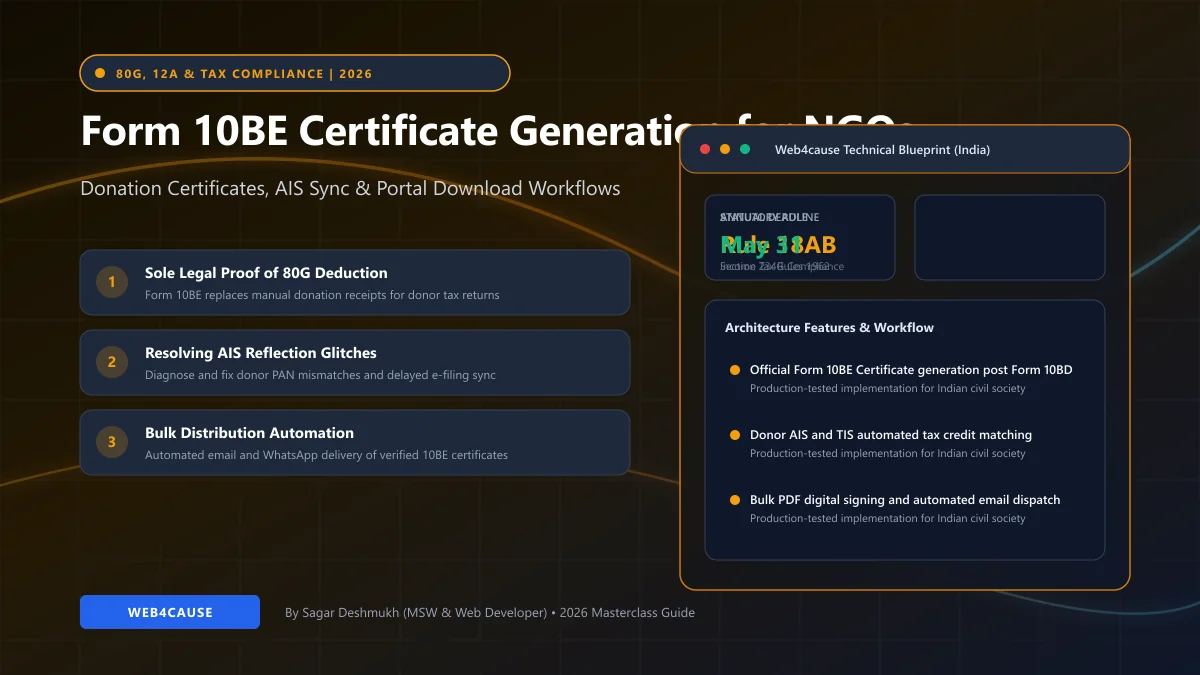
1. What is Form 10BE: The Mandatory Certificate of Donation
Form 10BE is an official electronic Certificate of Donation generated by the Directorate of Income Tax (Systems), Central Board of Direct Taxes (CBDT), Government of India. It serves as the statutory confirmation issued to a donor certifying that their financial contribution has been formally reported by an approved charitable trust, society, or Section 8 company in its annual Statement of Donations (Form 10BD).
For decades in the Indian non-profit ecosystem, a donor claimed tax benefits under Section 80G by presenting a printed paper receipt stamped and signed by the NGO cashier or treasurer. That legacy era has ended. Under the modernized digital compliance architecture, a charitable institution must electronically upload its donation ledger on the Income Tax e-Filing Portal. The government processing engine verifies the records against the national tax database and produces Form 10BE as the unique, tamper-proof certificate that validates the deduction.
Crucial Distinction: Form 10BD is the consolidated annual tax return of donations filed by the non-profit organization. Form 10BE is the individual certificate of donation generated for each specific donor. An NGO files one Form 10BD per fiscal year, but downloads and distributes hundreds or thousands of individual Form 10BE certificates to its contributors.
Without this formal electronic certificate, individual donors, corporate CSR entities, and philanthropic grantmakers cannot claim deductions under Section 80G or Section 35 during the processing of their Income Tax Returns (ITR). Consequently, mastering the generation, validation, and delivery of Form 10BE is an essential fiduciary responsibility for modern non-profit administrators.
2. Statutory Foundation: Section 80G(5)(ix), Section 35(1A), and Rule 18AB
The statutory mandate governing Form 10BE was introduced through landmark amendments enacted under the Finance Act, 2020, which substituted legacy donation verification mechanisms with real-time electronic reporting. The statutory provisions are codified in the Income Tax Act, 1961 and the Income Tax Rules, 1962:
Section 80G(5)(viii)
Obligates every institution approved under Section 80G registration to prepare and deliver an electronic statement of donations received within prescribed statutory timelines.
Section 80G(5)(ix)
Directly compels the approved institution to furnish a certificate specifying the amount of donation and particulars to the donor within prescribed timeframes, establishing the statutory root of Form 10BE.
Section 35(1A)(ii)
Establishes identical statutory requirements for scientific research associations, universities, colleges, and social science research institutions issuing tax exemptions under Section 35.
Rule 18AB of Income Tax Rules
Notified via CBDT Notification No. 19/2021 dated March 26, 2021. Formulates the exact schema, electronic filing mechanisms, and the prescribed May 31 annual issuance deadline for Form 10BE.
These legal mandates operate alongside institutional transparency requirements such as official NITI Aayog NGO Darpan registration on the central NGO Darpan Portal and corporate statutory filings under the Ministry of Corporate Affairs, establishing an interconnected web of institutional accountability across India.
3. The Digital Paradigm Shift: Why Form 10BE Replaces Manual 80G Receipts
To understand why non-profit donors urgently demand their Form 10BE certificates each May and June, one must examine how the Central Processing Centre (CPC) in Bengaluru evaluates tax returns. The manual assessment method, where tax officers physically scrutinized paper receipts during random audits, has been completely replaced by faceless, automated electronic risk management systems.
When an individual or corporate taxpayer files an Income Tax Return (such as ITR-1, ITR-2, or ITR-6), they enter their donation claim in Schedule 80G. During automated return processing under Section 143(1), the CPC server initiates a real-time database query matching the following parameters:
- The donor Permanent Account Number (PAN).
- The recipient NGO Permanent Account Number.
- The Unique Registration Number (URN) of the NGO 80G approval order issued under Form 10AC or Form 10AD.
- The exact eligible donation amount claimed by the taxpayer.
- The official Form 10BD Acknowledgement Number and Form 10BE Certificate Serial Number.
Consequences of Missing Form 10BE: If the recipient NGO has not filed Form 10BD statement of donations, no Form 10BE exists in the central tax database. The CPC automated processing algorithm flags an unreconciled discrepancy, disallows the entire 80G tax rebate under Section 143(1)(a), issues an intimation of tax demand, and levies compensatory interest under Section 234B and Section 234C. A paper receipt signed by the NGO holds zero evidentiary weight during automated CPC reconciliation.
Furthermore, when Form 10BD is processed, the donation data automatically populates the donor Annual Information Statement (AIS) and Taxpayer Information Summary (TIS). Donors expect their contributions to appear pre-filled in their tax software. When an NGO fails to generate Form 10BE, it damages donor trust, jeopardizes annual funding renewals, and causes acute administrative friction.
4. Step-by-Step Income Tax Portal Walkthrough: Filing Form 10BD to Form 10BE
Generating Form 10BE certificates is not an isolated download button; it is the final output of an interconnected e-filing lifecycle on the official Income Tax portal. Non-profit finance heads and chartered accountants must navigate this systematic procedure:
Step 1: Accessing the Entity Account
Navigate to https://eportal.incometax.gov.in/. Log in using the NGO PAN as User ID and the registered entity password. Verify that the authorized representative or principal trustee profile is updated and active.
Step 2: Locating and Initializing Form 10BD
From the top navigation bar, select e-File > Income Tax Forms > File Income Tax Forms. Under the “Persons not dependent on any source of Income” tab, locate Form 10BD (Statement of Donations). Click “File Now”, select the relevant Financial Year (such as FY 2025 to 2026), and set filing mode to “Original”.
Step 3: CSV Ledger Preparation and Validation
Prepare the official CBDT donation CSV template. Populate mandatory columns: Pre-acknowledgement Number, Identification Code (Code 1 for PAN), Donor ID Number, Section Code (Section 80G), Donation Type (Corpus, Specific Grant, Others), Mode of Receipt (Electronic, Cheque, Cash), and Amount. Upload the CSV file and resolve any schema validation errors highlighted by the portal parser.
Step 4: Statutory Verification via DSC or Aadhaar OTP
Proceed to verification. If the NGO accounts are subject to tax audit under Section 12A(1)(b) or Section 44AB, verification must be executed using the authorized signatory Class 3 Digital Signature Certificate (DSC) through the emSigner utility. For other eligible trusts, verification can proceed via Electronic Verification Code (EVC) linked to the managing trustee Aadhaar OTP.
Step 5: Batch Processing by ITD Systems
Upon submission, the portal generates a 15-digit Filing Acknowledgement Number. The filing enters an asynchronous processing queue managed by the Directorate of Income Tax (Systems). In normal operational conditions, processing takes between 24 and 48 hours. During peak filing days (such as May 28 to May 31), processing latency can extend up to five business days.
Step 6: Accessing and Downloading Form 10BE Certificates
Once the filing status updates from “Submitted” to “Successfully Processed”, navigate to e-File > Income Tax Forms > View Filed Forms. Select Form 10BD and click on the specific Financial Year filing. Under the action column, click “Download Certificates (Form 10BE)”. The system provides a compressed ZIP archive containing individual PDF certificates or consolidated master documents.
5. Anatomy of a Form 10BE Certificate: Deciphering Every URN and Data Field
An authentic Form 10BE certificate generated by the Income Tax Department contains standardized metadata that verifies its legitimacy. Non-profit finance managers must thoroughly understand each parameter printed on the document:
| Field Name | Description & Origin | Statutory Significance |
|---|---|---|
| Certificate Serial Number | Unique alphanumeric string assigned by the ITD Systems engine. | Acts as the primary key entered by the donor in Schedule 80G of their tax return. |
| Form 10BD Acknowledgement Number | The 15-digit e-filing receipt number issued when the NGO filed its return. | Ties the individual certificate directly to the verified annual statement of donations. |
| URN of Order Approval | Unique Registration Number from the NGO Form 10AC or Form 10AD approval order. | Proves that the NGO possessed valid Section 80G approval during the transaction date. |
| Donor Identification Code & Number | Identification type (Code 1 for PAN, Code 2 for Aadhaar) and the alphanumeric ID. | Enables automated matching against the donor tax profile and AIS ingestion. |
| Type of Donation | Designated classification: Corpus, Specific Grant, or General/Others. | Determines accounting treatment under Section 11(1)(d) and donor deduction limits. |
| Mode of Receipt | Payment channel: Electronic, Cheque, or Cash. | Cash donations above ₹2,000 are barred from deduction under Section 80G(5D). |
| Eligible Donation Amount | The net monetary contribution reported in Indian Rupees (INR). | The exact figure against which the 50% or 100% tax rebate percentage is computed. |
6. Bulk PDF Generation, Splitting, and Automated Distribution Pipelines
For small grassroots charities with twenty donors, downloading individual certificates and manually emailing them is manageable. However, for established organizations receiving contributions via online payment gateways, recurring giving programs, and digital campaigns, the portal output presents a massive logistical challenge.
The Income Tax portal typically exports certificates as either a large compressed ZIP file containing hundreds of files with arbitrary portal filenames, or as a single concatenated multi-page PDF document. Non-profit operations teams must parse, extract, rename, digitally sign, and dispatch these documents to respective donors automatically.
Automated Node.js PDF Splitting and Renaming Architecture
The following script parses a consolidated master Form 10BE PDF, identifies each donor page, extracts the unique PAN and Certificate Number using regular expressions, and exports individual donor files named Form10BE_{PAN}_{CERT_NO}.pdf:
const fs = require('fs');
const path = require('path');
const { PDFDocument } = require('pdf-lib');
const pdfParse = require('pdf-parse');

async function splitMasterForm10BE(inputPdfPath, outputDirectory) {
  if (!fs.existsSync(outputDirectory)) {
    fs.mkdirSync(outputDirectory, { recursive: true });
  }

  const existingPdfBytes = fs.readFileSync(inputPdfPath);
  const pdfDoc = await PDFDocument.load(existingPdfBytes);
  const totalPages = pdfDoc.getPageCount();

  console.log(`Processing Form 10BE Master Document. Total Pages: ${totalPages}`);

  for (let pageIdx = 0; pageIdx < totalPages; pageIdx += 1) {
    const singleDoc = await PDFDocument.create();
    const [copiedPage] = await singleDoc.copyPages(pdfDoc, [pageIdx]);
    singleDoc.addPage(copiedPage);

    const singlePdfBytes = await singleDoc.save();
    const parsedData = await pdfParse(Buffer.from(singlePdfBytes));
    const pageText = parsedData.text;

    // Extract PAN and Certificate Serial Number
    const panMatch = pageText.match(/[A-Z]{5}[0-9]{4}[A-Z]{1}/);
    const certMatch = pageText.match(/Certificate\s*No[:.\s]+([A-Z0-9]+)/i);

    const donorPan = panMatch ? panMatch[0] : `UNKNOWN_PAN_PAGE_${pageIdx + 1}`;
    const certNumber = certMatch ? certMatch[1] : `CERT_${pageIdx + 1}`;

    const outputFileName = `Form10BE_${donorPan}_${certNumber}.pdf`;
    const outputPath = path.join(outputDirectory, outputFileName);

    fs.writeFileSync(outputPath, singlePdfBytes);
    console.log(`Exported page ${pageIdx + 1} to ${outputFileName}`);
  }

  console.log('Form 10BE extraction and indexing completed successfully.');
}

// Execution parameters
splitMasterForm10BE('./downloads/Master_Form10BE_FY2025_26.pdf', './output_certificates');
Digital Signatures (DSC) on Form 10BE
Form 10BE certificates generated by the Income Tax Department are authenticated by ITD system keys. However, institutional donors, corporate CSR secretariats, and statutory auditors frequently require that the issuing NGO also apply its authorized trustee Class 3 Digital Signature Certificate (DSC) before dispatch. Under Section 3 and Section 5 of the Information Technology Act, 2000, digitally signing the PDF using a USB cryptographic token or organizational cloud signing service guarantees tamper evident legal non-repudiation.
Once certificates are split and named by PAN, modern organizations connect them to automated communication channels using open-source engines like n8n workflow automation for NGOs. The n8n engine executes the following multi-step pipeline:
- CRM Cross-Reference: Matches the extracted donor PAN against the non-profit donor database (such as CiviCRM, Salesforce NPSP, or PostgreSQL ledger).
- Transactional Email Dispatch: Attaches the specific Form 10BE PDF and dispatches an official acknowledgement email via Amazon SES, SendGrid, or Google Workspace SMTP.
- WhatsApp Cloud API Dispatch: Pushes an interactive document message containing the PDF certificate directly to the verified mobile number of the donor via Meta Cloud API, dramatically reducing donor support queries.
- Audit Logging: Records successful delivery timestamps in the non-profit compliance database, establishing an immutable audit trail for annual FCRA and statutory audits.
Institutions seeking end-to-end receipting pipelines should explore our detailed architecture on automated 80G tax receipt systems. Additionally, non-profits seeking verified software licenses and discounted cloud resources can validate their entity credentials through TechSoup Global to access enterprise distribution tools at non-profit pricing.
7. Resolving Donor AIS and TIS Discrepancies and Grievance Handling
Between June and July of every assessment year, Indian non-profit helpdesks face a flood of anxious inquiries from supporters: “I contributed ₹25,000 to your trust, but the donation is not showing in my Annual Information Statement (AIS)!” or “My tax consultant says my 80G deduction was rejected!”
Handling these grievances requires a methodical diagnostic protocol. Social workers, finance administrators, and accountants must understand the three most common root causes and their statutory solutions:
Grievance 1: Ingestion Latency Between Form 10BD and AIS
The Problem: The NGO successfully filed Form 10BD on May 30 and generated Form 10BE, but the donor logs into their Income Tax portal on June 5 and finds no entry under the “Donations” tab in Part B of AIS.
The Solution: The Directorate of Income Tax (Systems) does not push data into AIS instantaneously. AIS updates in batch ETL ingestion cycles that take between seven and twenty-one business days after Form 10BD processing. Inform the donor that their Form 10BE certificate is the primary statutory document. They can safely enter the Form 10BE Certificate Number and URN directly into Schedule 80G of their ITR. The deduction will match once the background AIS sync completes.
Grievance 2: Donor PAN Inadvertently Miskeyed
The Problem: The donor entered a typo in their PAN during online donation checkout (such as confusing the letter ‘O’ with number ‘0’, or mistyping one digit), or the non-profit accountant entered an incorrect PAN in the CSV ledger.
The Solution: If a valid third-party PAN was entered, the donation flowed into that stranger AIS profile! If an invalid PAN was uploaded, the row was rejected during portal processing. The NGO must obtain a copy of the official PAN card from the donor, verify the correct alphanumeric string, and immediately file a Form 10BD Correction Statement as explained in Section 8.
Grievance 3: Cash Donation Truncation Under Section 80G(5D)
The Problem: A supporter contributed ₹10,000 in physical cash at the NGO field center and complains that their Form 10BE only reflects ₹2,000 or was disallowed.
The Solution: Section 80G(5D) of the Income Tax Act explicitly establishes that no deduction shall be allowed under Section 80G in respect of any donation exceeding ₹2,000 made in physical currency. The NGO has a legal obligation to enforce this ceiling. Donors must be educated that tax deductible philanthropy exceeding ₹2,000 must strictly flow through banking channels (NEFT, RTGS, UPI, IMPS, or Cheque).
To prevent PAN mismatch disputes entirely, organizations should integrate real-time API verification at the payment gateway level, a strategy detailed in our guide on NGO payment gateway integrations.
8. Filing Form 10BD Correction Statements and Re-issuing Form 10BE
When administrative audits reveal errors in the original Form 10BD filing (such as misstated donation amounts, donor PAN typos, omitted supporters, or incorrect donation classifications), the Income Tax portal provides a formal legal rectification mechanism known as a Correction Statement under Rule 18AB(3).
Filing a correction statement requires strict adherence to data integrity protocols to avoid overwriting or duplicating legitimate donor records:
Step-by-Step Correction Procedure
- Log into e-Filing Portal: Access the NGO PAN account and navigate to e-File > Income Tax Forms > File Income Tax Forms > Form 10BD.
- Select Correction Filing Mode: Choose the relevant Financial Year and select filing mode as “Correction”.
- Provide Original Reference: Enter the 15-digit Acknowledgement Number of the original Form 10BD filing that requires rectification.
- Prepare Correction CSV File:
- For records being amended: Use the exact same Pre-acknowledgement Number from the original CSV submission. Update the incorrect field (such as corrected PAN or corrected amount).
- For brand new omitted donors: Append new sequential Pre-acknowledgement Numbers starting immediately after the highest number used in the original return.
- Do not re-upload rows that had zero errors, unless filing a complete replacement return under specific portal advisories.
- Upload and Verify: Upload the correction CSV and execute statutory verification via Class 3 DSC or authorized trustee Aadhaar OTP.
- Re-generation of Revised Form 10BE: Once the correction statement is processed by ITD Systems, the portal automatically cancels the invalid prior entries and generates revised Form 10BE certificates with updated serial numbers.
Critical Notification Duty: When revised Form 10BE certificates are generated, the NGO must immediately dispatch the updated PDF documents to the affected donors. The email should advise donors to refresh their AIS profile and use the new Certificate Serial Number if revising their previously filed Income Tax Returns.
9. Statutory Deadlines, Section 234G Late Fees, and Section 271K Penalties
Compliance with Rule 18AB is governed by strict statutory timelines. Every non-profit managing committee must mark its fiscal calendar with the non-negotiable statutory deadline:
Failure to meet this deadline triggers severe, compounding statutory sanctions under the Income Tax Act:
Section 234G Mandatory Late Fees
Imposes a mandatory statutory fee of ₹200 per day for every single day the failure continues past May 31. This fee accrues automatically on the portal and cannot be waived or appealed by the Assessing Officer.
Section 271K Discretionary Penalty
Empowers the Assessing Officer to levy an additional punitive financial fine ranging from ₹10,000 up to ₹1,00,000 on the defaulting trust or institution for failure to deliver certificates.
Cancellation of 80G Registration
Persistent non-filing of Form 10BD and non-issuance of Form 10BE constitutes a direct violation of Section 80G(5)(v), providing statutory grounds for the Principal Commissioner (CIT Exemption) to cancel the 80G approval order.
10. Institutional Governance and Best Practices for Non-Profit Finance Teams
Preventing end-of-year compliance panic requires instituting systematic monthly workflows rather than attempting to assemble twelve months of financial ledgers in the final week of May. Progressive Indian non-profits apply these operational standards:
1. Enforce Real-Time PAN Validation at Checkout
Never allow freeform, unvalidated PAN entry on donation landing pages. Implement client-side regular expression checks ([A-Z]{5}[0-9]{4}[A-Z]{1}) combined with server-side NSDL verification via gateway providers such as Razorpay, Cashfree, or Stripe. If a donor refuses or fails to provide an authentic PAN or Aadhaar, immediately display a prominent disclaimer stating that an 80G tax certificate cannot be issued under Rule 18AB.
2. Conduct Monthly Three-Way Reconciliations
Establish a monthly closing protocol where the non-profit accountant reconciles: (a) bank statements showing net receipts, (b) payment gateway gross settlement reports including processing fees, and (c) the donor CRM ledger. This ensures recurring donations collected via UPI AutoPay recurring mandates governed by the National Payments Corporation of India (NPCI), rural development funding disbursed through NABARD, and corporate CSR grants are perfectly categorized throughout the year.
3. Maintain a Ten-Year Digital Compliance Archive
Under amended Section 149 of the Income Tax Act, tax authorities possess powers to reopen assessments up to ten years in cases involving significant income escaping assessment. Non-profits must store raw Form 10BD CSV files, portal acknowledgement PDFs, and exported Form 10BE certificates in encrypted, redundant cloud storage (such as AWS S3 with immutability locks or Google Cloud Storage) along with donor consent documentation.
4. Align Community Mobilization with Transparent Governance
In professional social work practice, financial transparency reinforces community trust. When field teams conduct community mobilization and village assessments via Participatory Rural Appraisal (PRA) techniques, presenting verified statutory certificates like Form 10BE demonstrates to institutional funders and village panchayats that the NGO operates under flawless fiscal governance.
11. Statutory Compliance Comparison Matrix and Reference Tables
The following comparative matrix illustrates the structural differences between traditional non-profit donation receipts, the annual statement of donations (Form 10BD), and the individual certificate of donation (Form 10BE):
| Compliance Dimension | Manual 80G Receipt | Form 10BD Statement | Form 10BE Certificate |
|---|---|---|---|
| Issuing Authority | The NGO / Charitable Trust internally. | Filed by NGO on the Income Tax Portal. | Directorate of Income Tax (Systems). |
| Legal Enforceability | Insufficient alone for CPC automated rebate. | Statutory return under Rule 18AB. | Sole legal proof for donor 80G tax claim. |
| Statutory Deadline | Immediate upon donation receipt. | May 31 following close of Financial Year. | May 31 following close of Financial Year. |
| Linkage to AIS / TIS | Zero linkage to government databases. | Data source that populates donor AIS. | Reflects matching data displayed in AIS. |
| Default Penalty | No specific late fee provision. | ₹200 per day under Section 234G. | Penalty under Section 271K (up to ₹1 Lakh). |
Rule 18AB Donor Identification Code Taxonomy
When preparing Form 10BD records to produce Form 10BE certificates, non-profit institutions must categorize donor identification using the strict numeric codes mandated by the CBDT:
- Code 1 (Permanent Account Number – PAN): Mandatory and primary identifier for all Indian domestic individual, corporate, and trust donors.
- Code 2 (Aadhaar Number): Permitted for Indian resident individual contributors where PAN is unavailable or pending issuance.
- Code 3 (Passport Number): Utilized for non-resident donors, overseas citizens, or foreign nationals contributing in Indian Rupees.
- Code 4 (Elector Photo Identity Card – Voter ID): Secondary domestic identification proof.
- Code 5 (Driving License): Secondary domestic identification proof.
- Code 6 (Ration Card): Permitted rural identification identifier.
- Code 7 (Taxpayer Identification Number): Mandatory code for foreign institutional grantmakers and overseas CSR entities operating without Indian PAN.
12. Frequently Asked Questions (FAQs)
Q1: Can an individual donor claim an 80G tax deduction if the NGO provides only a stamped paper receipt and no Form 10BE?
No. Under the amended tax regime applicable since Assessment Year 2022-23, Central Processing Centre (CPC) Bengaluru automatically cross-checks Schedule 80G claims against the central Form 10BD database. If the non-profit has not electronically filed the donation and generated a valid Form 10BE certificate carrying an official Certificate Serial Number, the automated tax processing engine will disallow the deduction under Section 143(1)(a) and issue an electronic tax demand notice.
Q2: How can an NGO download Form 10BE certificates in bulk if it has hundreds of individual donors?
Once Form 10BD is marked as Successfully Processed on the Income Tax e-filing portal (under e-File > Income Tax Forms > View Filed Forms), clicking Download Certificates provides a compressed ZIP archive containing individual PDFs or a concatenated multi-page master document. Non-profits can use automated Node.js or Python PDF splitting scripts to extract each donor page, rename the files by donor PAN and Certificate Number, and dispatch them automatically via email and WhatsApp using workflow automation platforms like n8n.
Q3: What should an NGO do if a donor PAN was mistyped in the original Form 10BD submission?
The NGO must file a Form 10BD Correction Statement on the Income Tax portal under Rule 18AB(3). The accountant selects filing mode as Correction, enters the original 15-digit Form 10BD Acknowledgement Number, and uploads a correction CSV retaining the original Pre-acknowledgement serial number for that donor with the corrected PAN. Upon portal verification, previous invalid entries are superseded and an updated Form 10BE is generated for re-distribution to the donor.
Q4: What is the late filing fee if an NGO misses the May 31 deadline for issuing Form 10BE?
Under Section 234G of the Income Tax Act, 1961, failure to file Form 10BD by the statutory May 31 deadline attracts a mandatory late fee of ₹200 for every single day the default continues. Furthermore, the Assessing Officer holds discretionary authority under Section 271K to levy financial penalties between ₹10,000 and ₹1,00,000, and persistent default risks cancellation of the institution Section 80G approval order.
Q5: Why does a donation listed on Form 10BE sometimes fail to show in the donor Annual Information Statement (AIS)?
The primary reason is portal ingestion latency. While Form 10BD processes within one to three days, the automated batch transfer of donation records into donor AIS and Taxpayer Information Summary (TIS) profiles operates on scheduled quarterly or bi-weekly sync cycles. As long as the donor holds a valid Form 10BE certificate carrying the ITBA acknowledgement and certificate number, they can legally claim the deduction in Schedule 80G of their Income Tax Return.
Q6: Can cash donations exceeding ₹2,000 be included in Form 10BD to generate a Form 10BE certificate?
No. Section 80G(5D) of the Income Tax Act explicitly establishes that no deduction shall be allowed under Section 80G in respect of any donation exceeding ₹2,000 made in physical currency. While the non-profit may account for larger cash donations as general income (subject to Section 115BBC anonymous donation rules), they cannot be reported for 80G deduction in Form 10BD. Attempting to file cash donations exceeding ₹2,000 triggers immediate schema rejection or tax scrutiny.
Expert Tax Compliance Guidance
Need Professional Assistance with Form 10BD Filing or Form 10BE Generation?
Filing Form 10BD Statements of Donations, downloading thousands of Form 10BE certificates, and resolving donor AIS mismatches requires both statutory tax precision and automated engineering. Sagar Deshmukh combines professional social work administration experience (MSW) with full-stack web development to help Indian non-profits, charitable trusts, and Section 8 institutions audit CSV donation ledgers, automate bulk certificate dispatch, and eliminate Section 234G penalty liabilities.
Explore tailored web architecture, donation automation, and compliance solutions at Web4cause NGO Design Services.